← Back to English Learning Games

Case study · ESL microlearning

English Practice Hub

From tutoring notes to 20 interactive games.

Turned years of ESL tutoring notes into 20 interactive games with built-in mini-lessons. Designed two learner paths, young learners and teens/adults, with different content levels, visuals, and feedback, and audited every color against WCAG contrast standards.
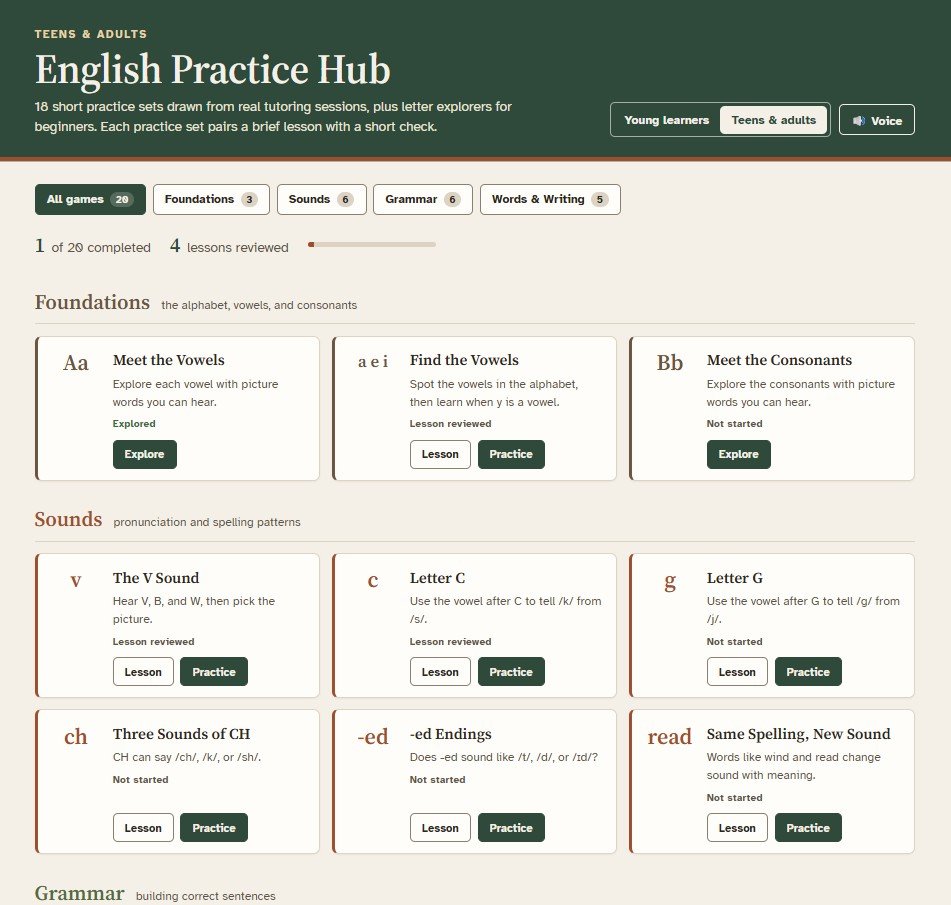
English Practice Hub teens and adults dashboard with Foundations, Sounds, Grammar, and Words & Writing game cards, each with Lesson and Practice buttons

The teens and adults dashboard: every practice set offers a brief lesson first, then practice.

20
Games, each with a built-in mini-lesson
2
Learner paths: young learners, and teens and adults
3–5 min
Per game, in the browser
8 years
Of tutoring notes behind the content

Eight years of notes, waiting to become practice

Over eight years of tutoring ESL students, I kept notes on the topics learners struggled with most, like V and B confusion, C and G sounds, -ed endings, and much vs. many.

Starting point

Tutoring notes on the topics learners struggled with most, living in a Word document.

The goal

Practice learners could do on their own, at two very different levels, without building two separate products.
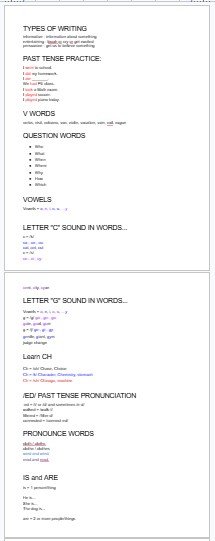
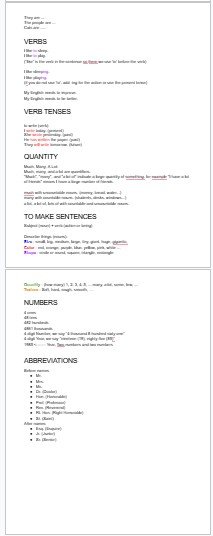
Page one of raw ESL tutoring notes in a Word document, covering past tense, V words, question words, vowels, letter C and G sounds, CH, -ed pronunciation, and is and are
Page two of raw ESL tutoring notes covering verbs, verb tenses, quantity words like much, many, and a lot, sentence building, numbers, and abbreviations

The raw material behind the hub: tutoring notes from eight years of teaching ESL online.

People centered

Two very different learners.

  • 3rd graders and working adults, one system
  • Learn first if you need the rule, play if you don't
  • Voice picker and slower audio
Strategy driven

Built on how skills stack.

  • Introduce, model, practice in every mini-lesson
  • Skills sequenced so later games build on earlier ones
  • Games test the real skill, with no shortcuts
Impact focused

Practice learners can do on their own.

  • 3- to 5-minute games, any time
  • Feedback that names the error and what's missing
  • Every color audited against WCAG 2.2

Five rounds, from notes to a two-level system

The hub evolved in rounds, and the most important change was giving each learner group its own design.

  1. From notes to basic practice Turned the Word document of tutoring notes into simple practice games for both sets of learners.
  2. Adding branding Built a brand style guide so all 20 games share one consistent look and feel.
  3. Fixing accessibility Audited every text and color pair and replaced the failing brand turquoise with headers that pass for each learner path.
  4. Better voice options Added a voice picker and slower audio so learners can choose a voice they understand and hear sounds at their own pace.
  5. Distinct designs for each learner group Gave young learners and teens/adults their own visuals, content, and feedback rules, with one shared system underneath.

Round 5 is the turning point.

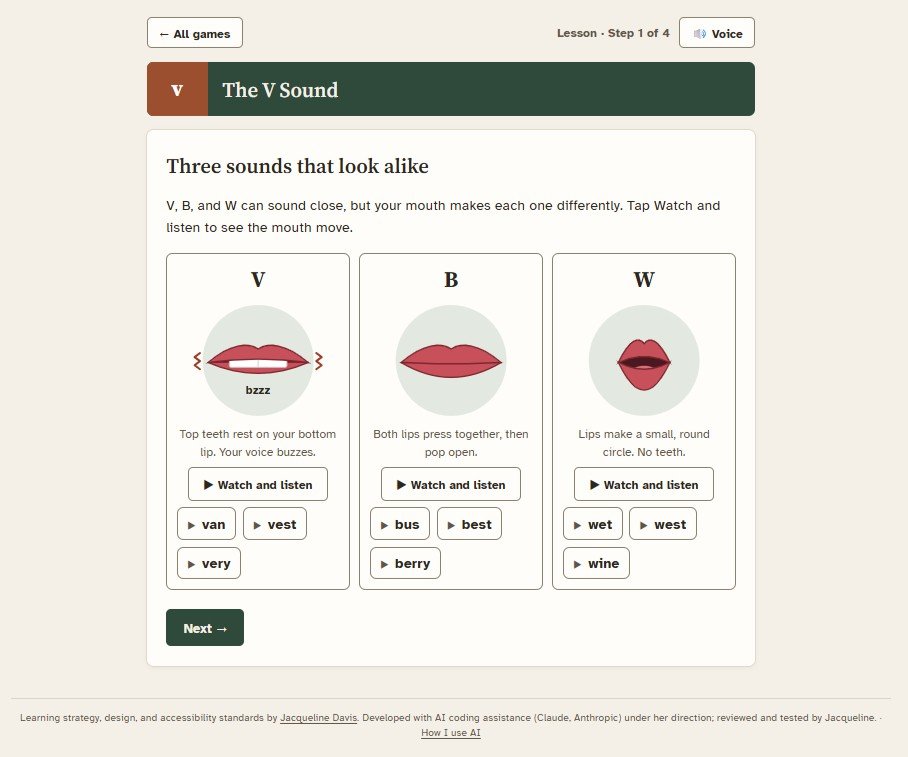
The V Sound lesson, step 1 of 4: mouth diagrams for V, B, and W with Watch and listen buttons and example words such as van, ban, and wet
Seeing the sound: mouth diagrams for V, B, and W, each with audio examples.
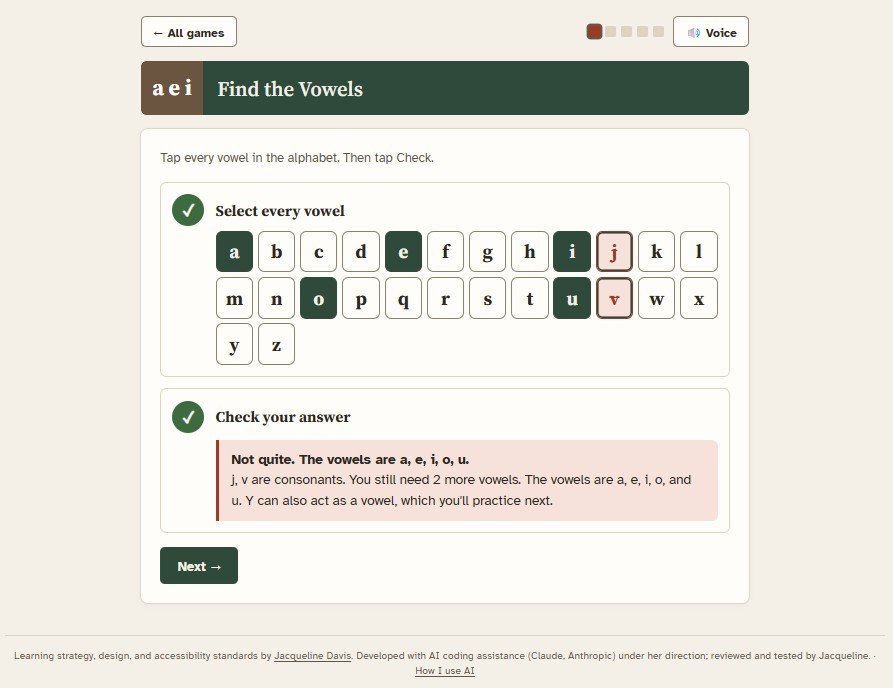
Find the Vowels game: an alphabet grid with a, e, o, and u selected and j marked wrong, with feedback reading j is a consonant, you still need 1 more vowel
Find the Vowels: feedback names the error and what's still missing.

The game has to test listening, not letter-spotting.

The idea behind redesigning the V-sound game

The same 20 games serve 3rd graders and working adults

Learners switch levels with one toggle; content, visuals, and feedback change with it.
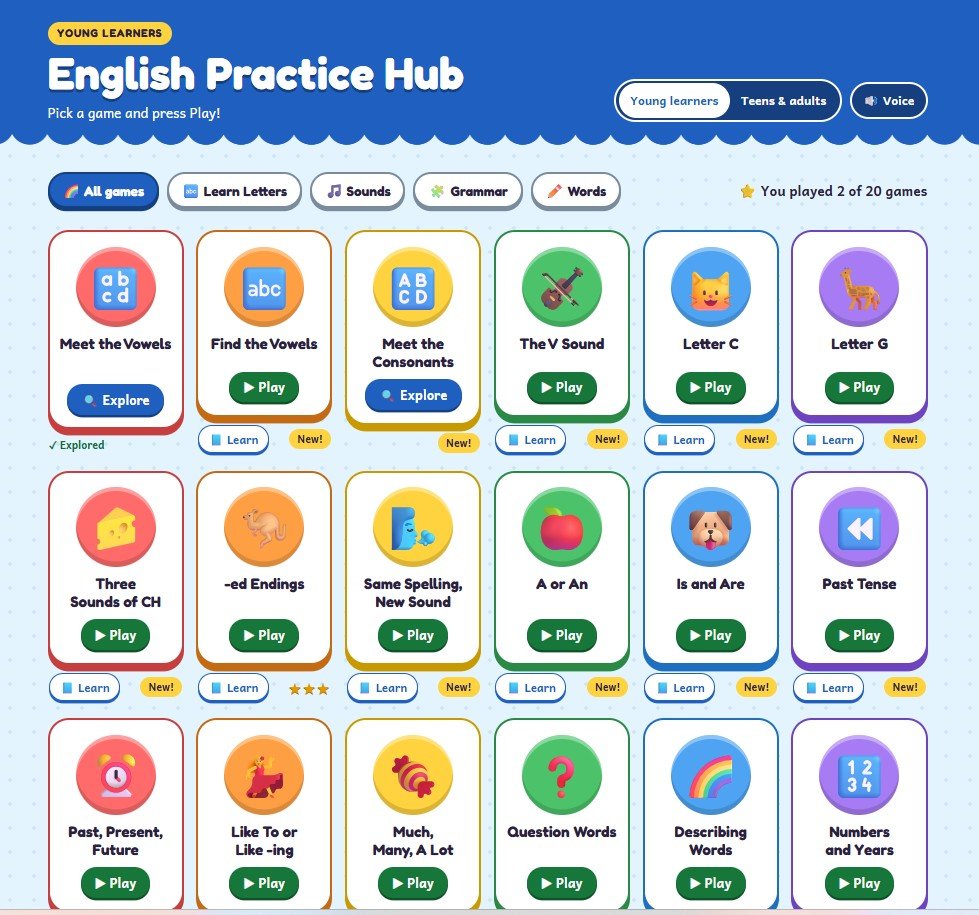
Young learners
  • Rounded shapes and emoji support
  • Beginning-reader typeface
  • 6 questions per game
  • Unlimited retries
Teens & adults
  • Clean, professional look
  • Workplace content
  • 8 questions per game
  • One attempt, with rule explanations
Young learners dashboard with rounded, colorful game cards and emoji icons
Young learners
Teens and adults dashboard with the same games shown as clean, square-cornered cards without emoji
Teens & adults

Accessibility

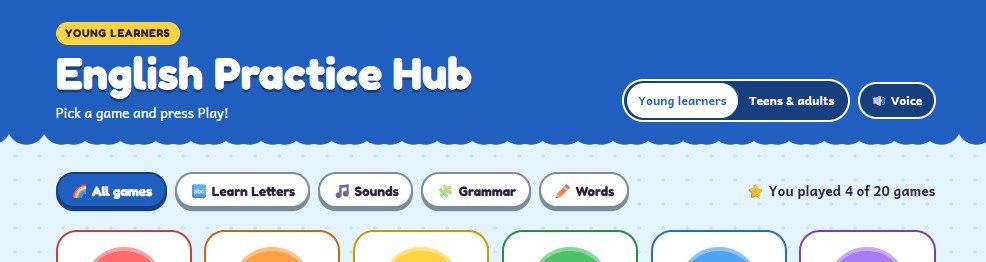
I audited every text and color pair against WCAG 2.2. The original brand turquoise failed contrast, so I gave each learner path its own header that passes: a bright, friendly blue for young learners (6.09:1) and a calm forest green for teens and adults (8.55:1). I also added a Voice button so learners can choose the reading voice and slow it down.
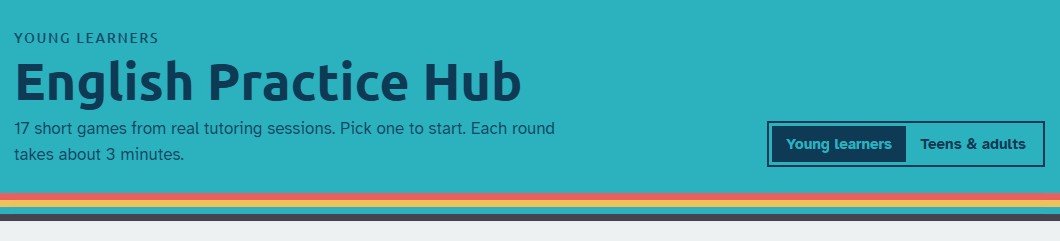
Earlier header with dark text on the original bright turquoise, which failed contrast
Before: original brand turquoise, which failed WCAG contrast.
Revised young learners header with white text on bright blue, a Young learners and Teens and adults switch, and a Voice button
After: brighter, kid-friendly blue with white text at 6.09:1 (passes WCAG AA), playful type for young learners, and a new Voice option to choose the reading voice and speed.
Keyboard focus states Reduced-motion support Slower audio playback Voice picker

Who did what

I designed the learning experience and directed development, using Claude as a build partner.

Jacqueline Davis

Learning strategy & design

  • Needs analysis from eight years of tutoring
  • Content, sequencing, and the two learner paths
  • Learning design and the brand style guide
  • Accessibility audit and testing

Claude by Anthropic

Build partner at my direction

  • Built the games in HTML, CSS, and JavaScript
  • Iterated on learner-facing details in days instead of weeks

Seven decisions and why

Show all 7 decisions
#DecisionWhy
1Offer “Learn” before “Play” in every gameLearners who need the rule get it first; others go straight to practice
2Make the V-sound game listen-onlyThe game has to test listening, not letter-spotting
3Give vowels their own game before C and GThe C and G rules depend on recognizing the vowel that follows
4Show the sound with mouth diagramsV, B, and W are hard to tell apart by ear alone
5One system with two learner pathsTwo very different levels without building two separate products
6Replace the failing brand turquoiseEvery text and color pair has to pass WCAG 2.2
7Add a voice picker and slower audioLearners choose a voice they understand and hear sounds at their own pace

A pilot with current students

Pilot it

The hub is a working prototype, and learner data isn't in yet. Next: pilot with current tutoring students to measure accuracy across rounds and gather feedback on the lessons.

Play one game at a time

Every hub game also works as its own page, ready to share with a learner. See all English games

Open by design

Built with AI at my direction, and disclosed. How I use AI

Take it for a test drive Play any of the 20 games at either level. Each takes 3 to 5 minutes. Turn your sound on and have fun with it!

Have expertise that needs to become practice?

I'd love to hear what you're working on and how we could turn it into learning people actually use.

Let's talk